< Home
How to enable location setting of you mobile browser
1. For Android:
2. For Iphone:
3. Test My Settings:
Android:
Turn on share location at device(Phone) setting first:
Settings -> all -> Privacy & security -> Location access -> Access my location
After device setting, Turn on share location at the BROWSER (which you using start and finish job)
Note: different browser setting may vary, please check which one you are using below. Also need make sure your browser is javascript enabled.
a). Default Browserb). Chrome
c). Firefox
Default Browser
Menu -> Settings -> Privacy & security -> Enable location (Turn On) -> Clear location access

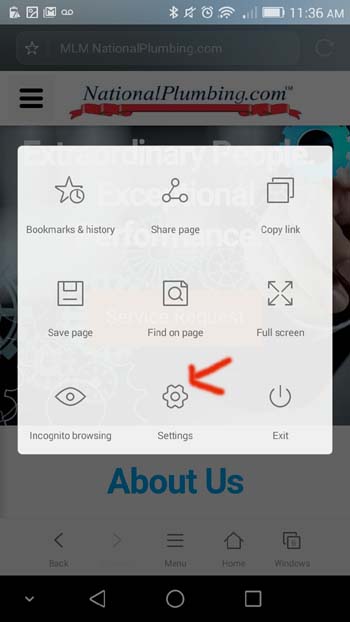
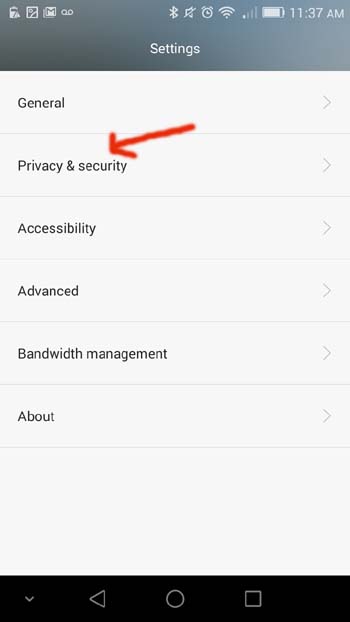
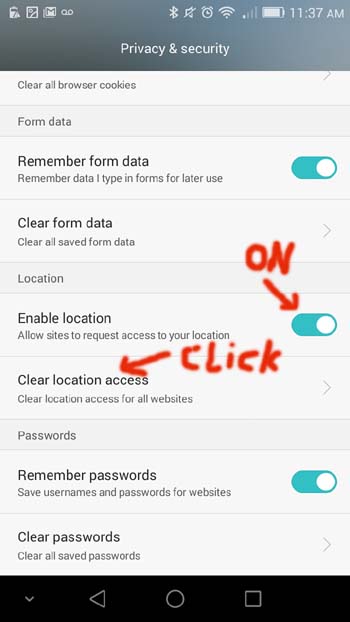
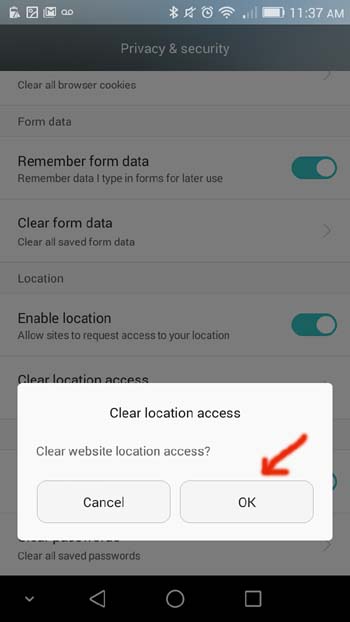
For Chrome:
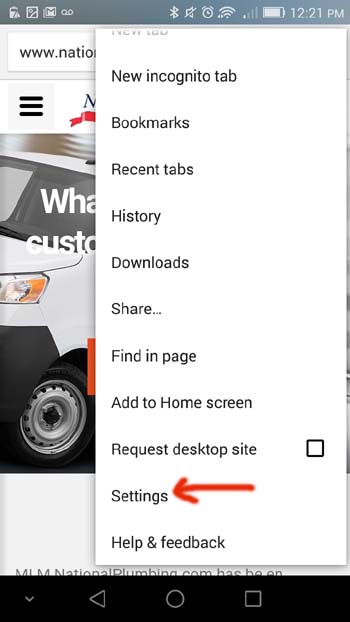
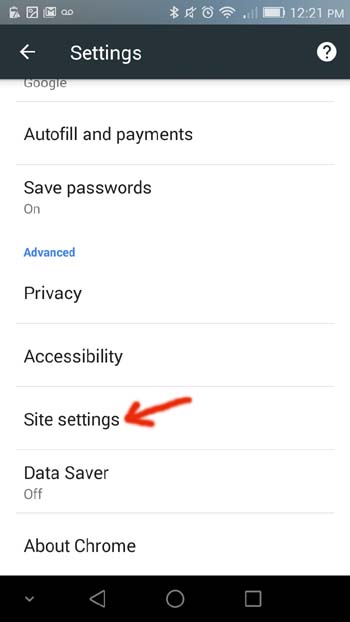
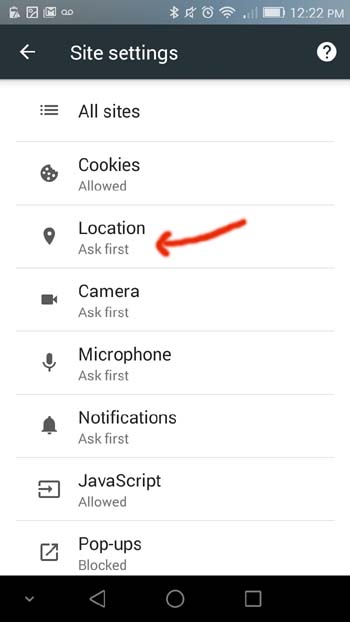
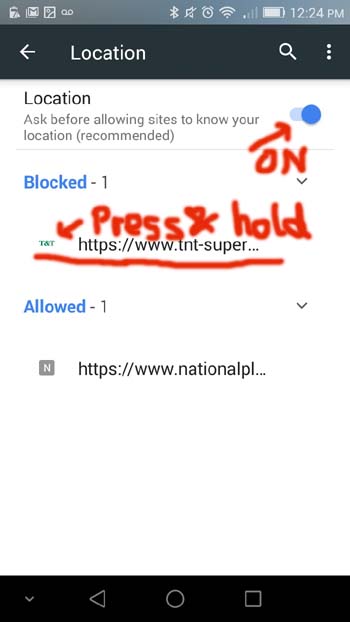
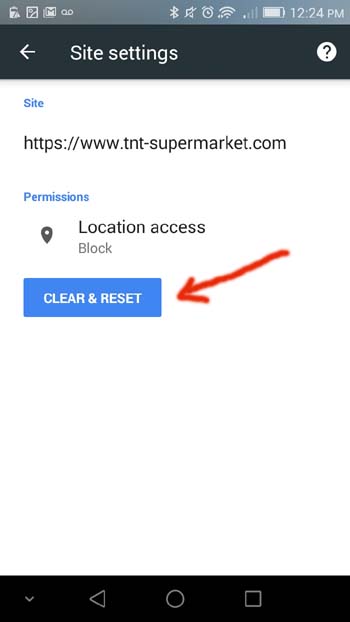
Menu -> Settings -> Site settings -> Location (Turn On) -> Hold and press blocked site name -> CLEAR & RESET

For Firefox:
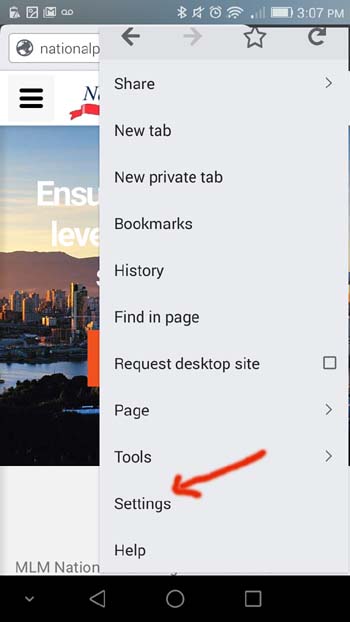
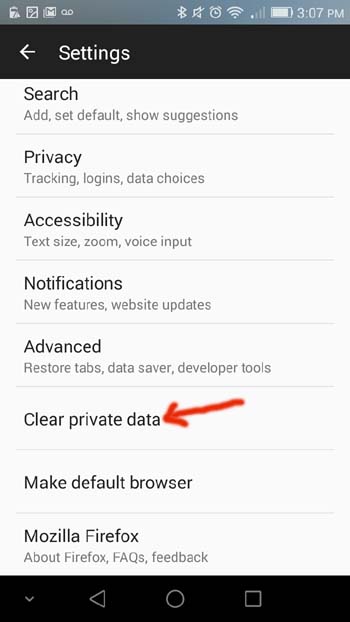
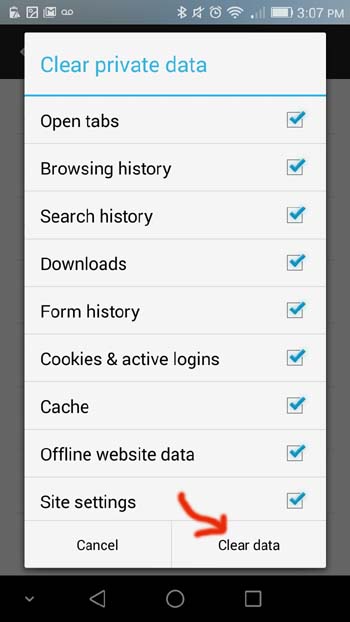
Menu -> Settings -> Clear private data

For Iphone:
Settings -> General -> Location Services
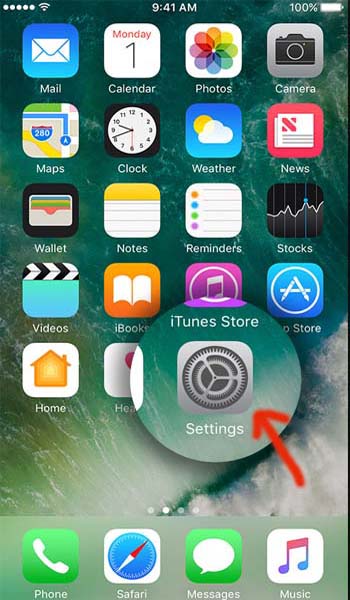
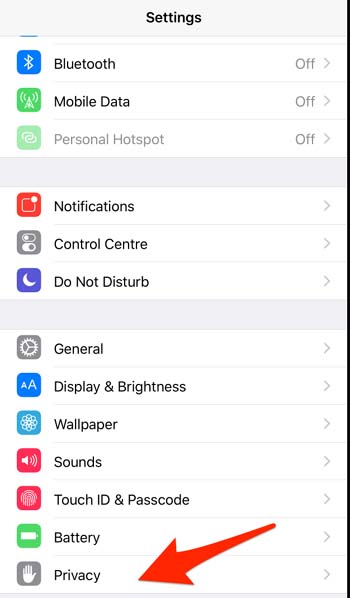
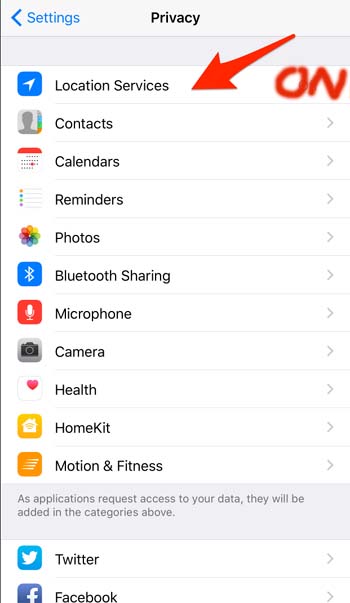
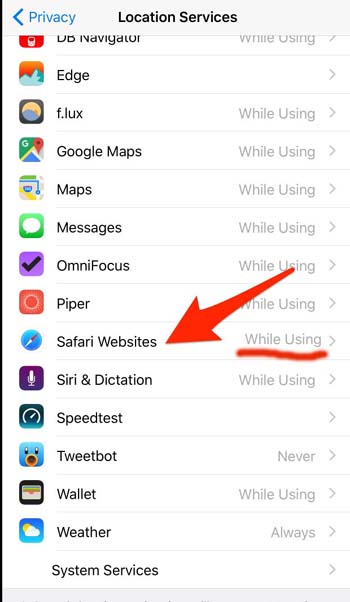
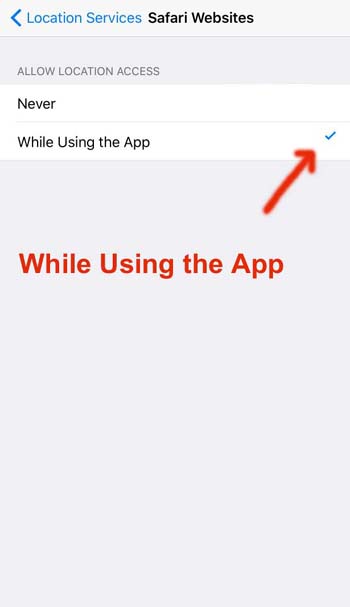
TIPS:
1. Enable device (phone) location setting from Settings.
2. Enable browser location setting from broswer menu.
3. Clear previous location data at browser.